
Piano Pet: Cute Rhythm Game
RhythmMix StudiosMusic
4.616.00 Reviews
- Version
- 1.5.0
- Installs
- 500.00K
- Age Rating
- Everyone
Screenshots
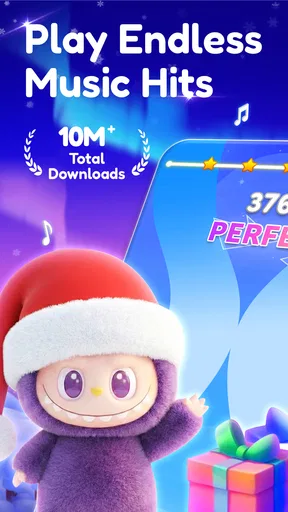
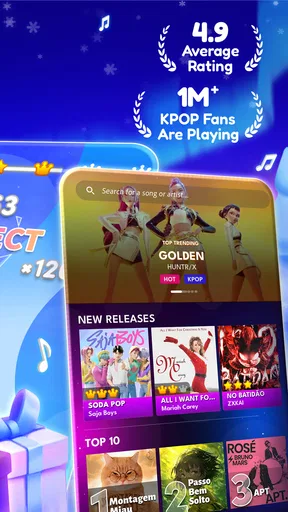
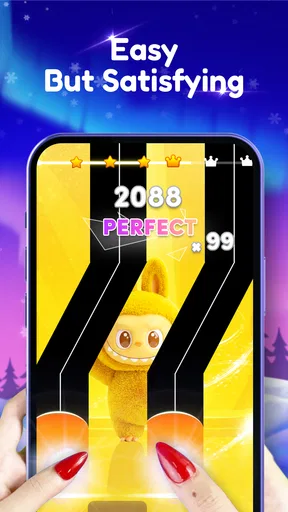
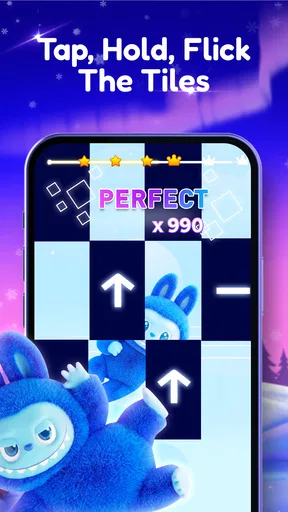
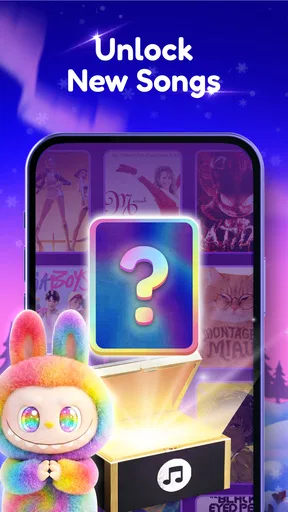
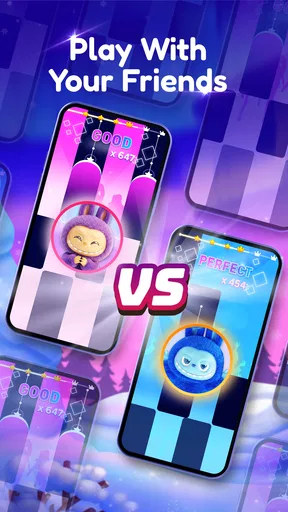
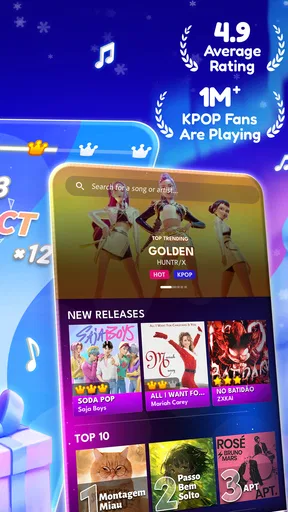
Our Review of Piano Pet: Cute Rhythm Game
 Analysis by Appyee
I approached Piano Pet: Cute Rhythm Game expecting a small music game for filling a few spare minutes, and that is exactly where it makes the strongest impression. Its central idea is simple: I tap and jump with the beat while a rhythm ball moves through songs influenced by K-Pop, EDM, and hip-hop. The appeal is not deep musical practice or a large adventure; it is the satisfying connection between a song’s pulse and a quick visual action.
That focus gives the game a clear identity. Instead of asking me to learn an instrument, manage a complicated interface, or build a long-term collection, it turns listening into timing. I can pick it up quickly, play a short session, and put it down without losing the thread. The cute presentation makes it approachable, while the beat-based movement gives the experience enough concentration to keep it from feeling like a passive music player.
RhythmMix Studios developed this free music game for an Everyone audience. It has reached over 100 thousand installs and holds a 4.7 average from around 1.4 thousand ratings, which fits my impression that the game is easy to understand and broadly accessible. It was released on March 16, 2026, and version 1.4.0 runs on Android 7.0 or later. Those details make it suitable for older Android devices as well as newer phones, although the exact feel will still depend on the device’s touch response and audio setup.
Why offline rhythm play matters more than it first appears
I find offline rhythm play more useful when I think of it as a reliable way to make small gaps in the day feel intentional, rather than simply as a backup for poor reception. It also changes how I judge a game’s pacing: without online prompts or a changing feed, the beat and the player’s own desire to improve have to carry each session. That makes the question of what keeps me coming back especially important.
The defining capability is playing to the beat without a connection
The feature that shaped my experience most was offline play. On paper, that may sound like a convenience rather than a major part of the design, but it changes when and how I use the game. I do not need to wait for a strong signal before starting a session, and I can treat it as a dependable little activity for travel, waiting rooms, commutes, or moments when I want to reduce mobile data use.
Offline access also suits the short-session structure. I can open the game when I have only a few minutes, choose a rhythm challenge, and concentrate on the timing instead of checking whether a connection is available. That makes it different from many music-focused apps where the song experience is closely tied to streaming, account access, or a constantly changing online catalog. Here, the important relationship is between the beat and my taps, not between the game and a network.
There is a useful psychological effect too. When I play offline, the game feels more like a self-contained toy than a social service competing for attention. I am not thinking about feeds, messages, or live updates. I am simply trying to stay with the rhythm. For someone who wants a compact distraction without another always-connected app demanding attention, that is a meaningful strength.
How tapping and jumping turn music into a physical task
The basic interaction is easy to understand: I tap in time and guide the ball’s jumps through the rhythm. The music supplies the pulse, while the visual movement gives me a second reference point. When the two line up, the game feels immediately rewarding. A good run is not just a high score in my mind; it is the feeling that my hands have joined the song.
This design works especially well for players who enjoy rhythm games but do not want a piano-style interface with many lanes or notes to read. The ball gives the action a playful, almost toy-like quality. I can watch its movement, listen for the beat, and make a decision with one simple gesture. That low control burden leaves more attention for timing.
The trade-off is that the game’s simplicity places more weight on presentation and song feel. In a complex rhythm title, variety can come from multiple note patterns, controls, characters, upgrades, or competitive systems. In this case, the moment-to-moment pleasure depends heavily on whether the music and jump timing feel satisfying together. If I am not in the mood for the available musical styles, the limited interaction has less to carry the session.
Using sound and visuals together is the key to better runs
My most useful adjustment was to stop watching the ball alone. At first, it is tempting to react to the animation, but that can make me slightly late because I am responding after the beat has already arrived. I got more consistent results by treating the song as the main guide and the ball as confirmation. Listening first, then using the visual movement to reinforce the timing, makes the controls feel less frantic.
This is also why headphones can improve the experience, especially in a noisy environment. The game is built around recognizing a pulse, so competing sounds make taps feel less predictable. I would not call headphones essential, but they help me separate the rhythm from background noise. In a quiet room, the phone speaker is enough for a casual session; for focused play, clearer audio makes the timing easier to follow.
Another practical tip is to avoid beginning with a long session when I am still learning the game’s timing. A few short attempts let me adjust to the relationship between the music, the ball’s movement, and the tap response. If I immediately chase a perfect run, small mistakes become frustrating. Treating the first attempts as calibration makes the game feel friendlier and helps reveal whether the timing suits my device.
What offline use changes in everyday situations
The best scenario for me was a short wait away from home. I could play without planning around a connection, and the game did not require the commitment of a full console session. A few rounds gave me something active to do, unlike simply scrolling through a music playlist. Because the interaction is based on rhythm, I also felt more engaged than I would with a basic idle game, but I did not need to remember a complicated story or objective.
It should work similarly for a passenger on a journey, a student taking a break, or someone looking for a light game during a low-energy evening. The Everyone rating makes it a reasonable choice for families who want a colorful music game without an intimidating premise. I would still recommend that younger players use it with sensible screen-time limits, since the quick retry nature of rhythm games can make “one more attempt” surprisingly easy to repeat.
Offline play is particularly helpful for anyone with limited data or unreliable reception. It also makes the game more practical on a secondary phone that is not always connected. That is a less obvious advantage: the app does not need to be reserved for the main entertainment device. Its compact, self-contained nature suits situations where I want a small game available but do not want to spend time managing a larger download or an online service.
Where it sits beside other music games
Compared with piano-tile-style games, this title feels less like pressing a sequence of keys and more like steering a moving beat. That distinction matters. Players who enjoy reading lanes and reacting to incoming notes may find traditional piano games more precise or demanding. Players who prefer a character-like object hopping through music may find Piano Pet more welcoming and visually expressive.
It is also different from dedicated music-training apps. I would not use it to learn scales, practice finger independence, or improve formal piano technique. The taps are responses to a game rhythm, not exercises designed to teach an instrument. That is not a weakness unless I expect educational depth from it. As a casual rhythm game, its narrower purpose helps it stay approachable.
Against large online music games, the offline capability is its clearest practical advantage. An online alternative may offer broader song rotation, social competition, or more elaborate progression, depending on the product. Piano Pet instead appeals to me when I want immediate access and uncomplicated play. The choice comes down to priorities: variety and connected systems on one side, convenience and a focused beat interaction on the other.
The limitations I noticed during play
The same simplicity that makes the game approachable can limit its staying power. If I want deep customization, a long campaign, competitive rankings, or a detailed progression system, this is probably not the right destination. The core loop is clear and pleasant, but it does not pretend to be a full music platform or a large-scale adventure. Players who need constant novelty may outgrow it sooner than players who enjoy repeating a familiar rhythm challenge.
The music selection is another important personal factor. K-Pop, EDM, and hip-hop cover several energetic styles, but they will not suit every listener equally. Someone who mainly enjoys acoustic, classical, jazz, or slower music may not connect with the game’s mood. Since the interaction depends on the song’s pulse, musical preference affects enjoyment more directly here than it does in a puzzle game with incidental background audio.
Touch timing can also become a source of friction. Rhythm games are sensitive to small delays, and a player may blame personal timing when the real issue is a device, speaker setup, or distracting environment. I found it better to test the game in a quiet place before deciding whether the controls felt fair. If the taps consistently seem late or early even after I focus on the beat, a different rhythm game with more adjustable timing options may be a better fit.
There is a further trade-off in offline design. Access without a connection is excellent for convenience, but it also means I should not expect the experience to behave like a constantly refreshed music service. The strength is reliability, not an endless sense of novelty. I see that as a sensible exchange for a casual game, but it is worth considering before choosing it as a primary music-game hobby.
Who gets the most from this particular game
I would recommend it most to casual players who want a free rhythm game that can be started quickly and played offline. It is a good match for someone who likes energetic music, simple one-touch interactions, and colorful movement rather than complex menus. It also suits people who often play in places with weak reception or who prefer not to spend mobile data on entertainment.
It may be especially appealing to a player who finds conventional piano games too rigid. The jumping ball gives the action a more playful shape, and the focus on keeping with the beat feels less like typing a strict pattern. That does not remove the need for accuracy, but it makes the learning curve feel gentler. I can imagine recommending it to a friend who says they enjoy music but usually avoid rhythm games because they look too technical.
I would steer away from it if your main goal is music education, a huge song library, or a long-term competitive system. A dedicated practice app would be better for learning an instrument, while a larger connected rhythm game may offer more depth for serious genre fans. I would also suggest trying something else if the listed musical styles do not appeal to you. The game’s central capability cannot compensate for a soundtrack that does not make you want to move with it.
My practical verdict after spending time with it
What I like most is that the game understands its own scale. It does not need a complicated premise to make a short break feel active. The combination of a bouncing rhythm ball, familiar beat-driven genres, and offline access creates a focused experience that is easy to recommend in the right situation. The strongest benefit is not merely that it works without a connection; it is that offline play makes the game feel ready whenever a spare moment appears.
I would keep it installed for travel, waiting, and quick music-based breaks rather than treat it as my only rhythm game. That distinction captures the honest value: it is convenient, approachable, and pleasant in short sessions, but its narrow loop may not satisfy players seeking extensive progression or musical training. For me, the free price removes the barrier to trying it, and the Everyone rating makes the presentation broadly accessible.
In the end, Piano Pet: Cute Rhythm Game succeeds when I want a small, friendly challenge built around listening and timing. Its best use is not a marathon session or a serious practice routine. It is the moment when I have a few minutes, a song with a beat I enjoy, and no dependable connection, yet still want to do something more engaging than passively listen. Choose it for convenient offline rhythm play, not for a full-featured music-training system.
Privacy and Permissions
See what permissions an app requests and how it handles your data.
- Wi-Fi connection information
- view Wi-Fi connections
- Other
- view network connections, full network access, change your audio settings, control vibration, prevent device from sleeping, Google Play license check
Verdict
Strengths of Piano Pet: Cute Rhythm Game
- Simple tap controls make it easy for beginners to start playing.
- Cute pet characters add charm and make sessions feel more rewarding.
- Short levels fit well into quick breaks or casual play.
- Rhythm challenges can improve timing, focus, and hand-eye coordination.
- Bright visuals and cheerful music create a relaxing, family-friendly mood.
Limitations of Piano Pet: Cute Rhythm Game
- Higher stages may become difficult for players without strong rhythm skills.
- Repeated songs and patterns can reduce variety during longer sessions.
- Some content or upgrades may require in-app purchases.
- Timing can feel inconsistent on older devices or with audio delays.
- Frequent ads may interrupt gameplay for users on the free version.
Similar Picks in This Category
View All
Tiles Hop Music & Ball Game
AMANOTES PTE. LTD.4.3

Magic Tiles 3™ - Piano Game
AMANOTES PTE. LTD.4.6

Real Piano
Bilkon3.7

Piano Game: Classic Music Song
Dream Tiles Piano Game Studio4.0

Smash Colors: Music Ball Rush
BADSNOWBALL HONGKONG LIMITED4.2

Piano Music Go-EDM Piano Games
Joy Journey Music Games4.5
Frequently Asked Questions
What is Piano Pet: Cute Rhythm Game?
Piano Pet: Cute Rhythm Game is a casual music game that combines piano-style tapping with adorable pet characters and colorful visuals. Players tap notes in time with the music, complete songs, and aim for higher scores. Its simple controls make it approachable for beginners, while faster patterns and more demanding tracks provide a challenge for players who enjoy rhythm-based gameplay.
How do you play Piano Pet: Cute Rhythm Game?
Gameplay is based on tapping the correct piano notes as they appear on the screen and keeping up with the rhythm of each song. Timing is important because missed or late taps can reduce your score or interrupt a combo. Before downloading, remember that performance may depend on your device’s screen responsiveness, audio settings, and whether you prefer playing with sound or visual cues.
Is Piano Pet: Cute Rhythm Game suitable for children?
The game’s cute pet theme, bright presentation, and straightforward tapping mechanics make it generally suitable for younger players and families. However, parents should still review the available settings, advertising, in-app purchase options, and privacy information before allowing children to play. If the app includes online features or external links, parental supervision is especially recommended.
Does Piano Pet: Cute Rhythm Game require an internet connection?
The connection requirements can vary depending on the version and the features being used. Basic rhythm gameplay may be available offline, but advertisements, downloads of additional songs, cloud-related functions, or promotional content can require internet access. It is best to check the game’s current store listing and test the app after installation if offline play is important to you.
Is Piano Pet: Cute Rhythm Game free to download and does it contain purchases?
Piano Pet: Cute Rhythm Game may be available as a free download, but free access does not always mean that every feature is included without restrictions. Many casual rhythm games use advertisements, optional purchases, unlockable content, or virtual items. Check the Google Play Store or Apple App Store listing for the latest pricing, supported devices, purchase details, and age-related information before downloading.
Play our best games!


